EDMS.
A shared workspace where teams can find a document, read it and follow its review history.
The challenge
At Envision Technologies, documents were spread across departments. When a manager asked who had reviewed a file, the answer often meant finding the document first and then asking colleagues for an update.
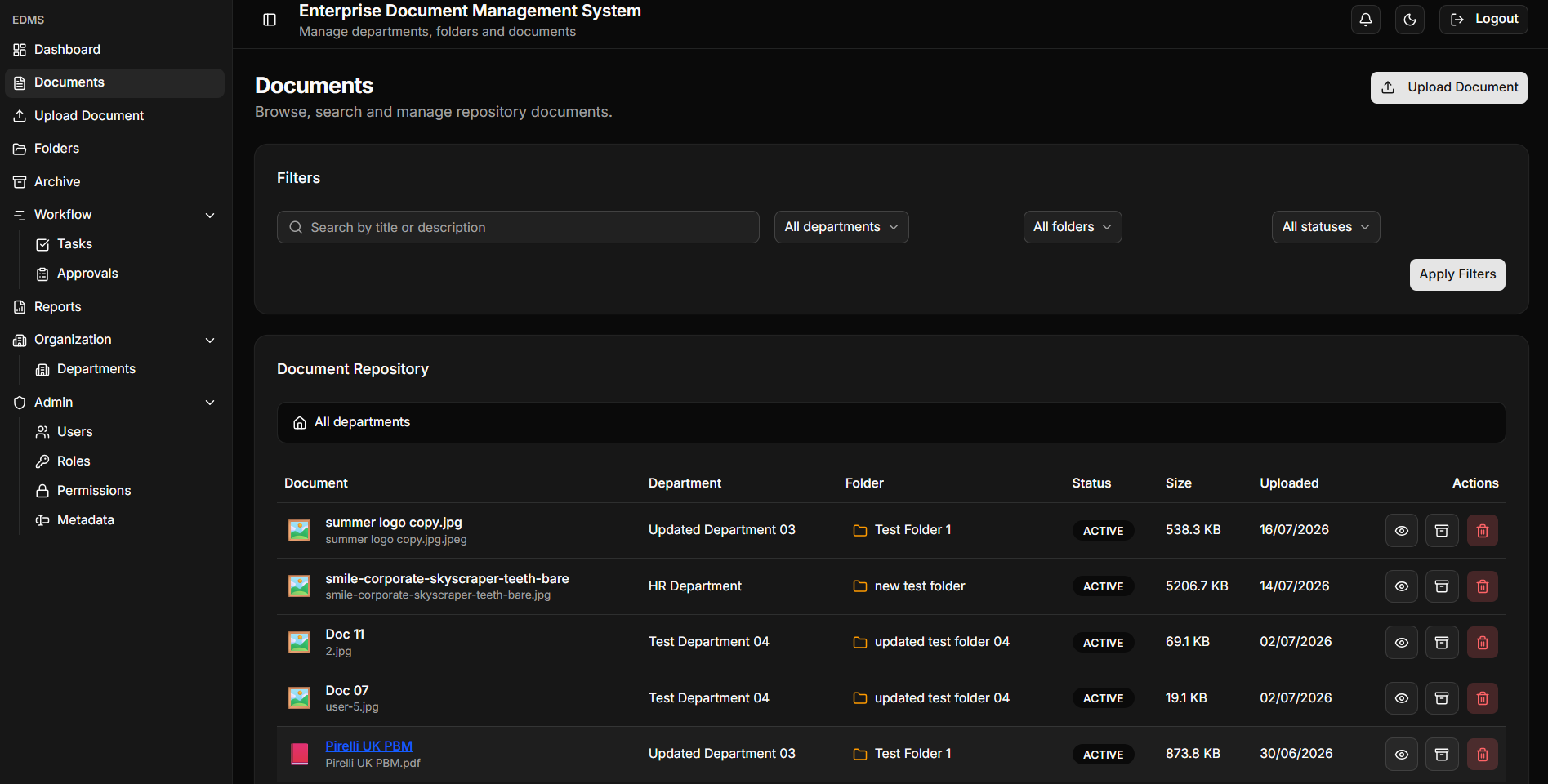
Find the file in the right department
I organised the repository around departments and folders so staff could use a structure they already understood. Someone who knows the title can search directly. Someone who only remembers the team or folder can narrow the list from there.
Read the document where the review happens
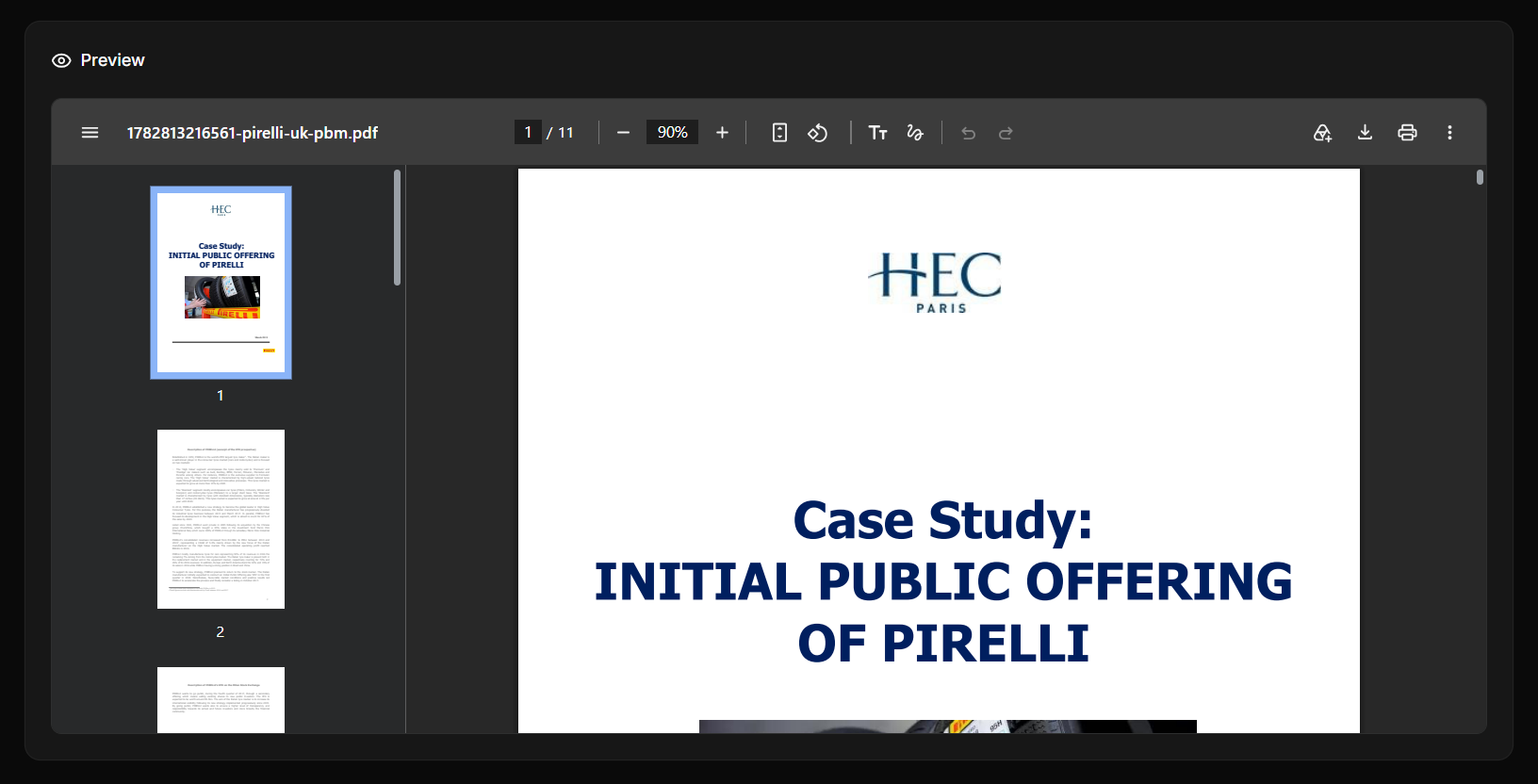
Opening a record brings the PDF, its details and its location together. A reviewer can read the document in the browser and return to the same record when they need to check its status.
See how the review progressed
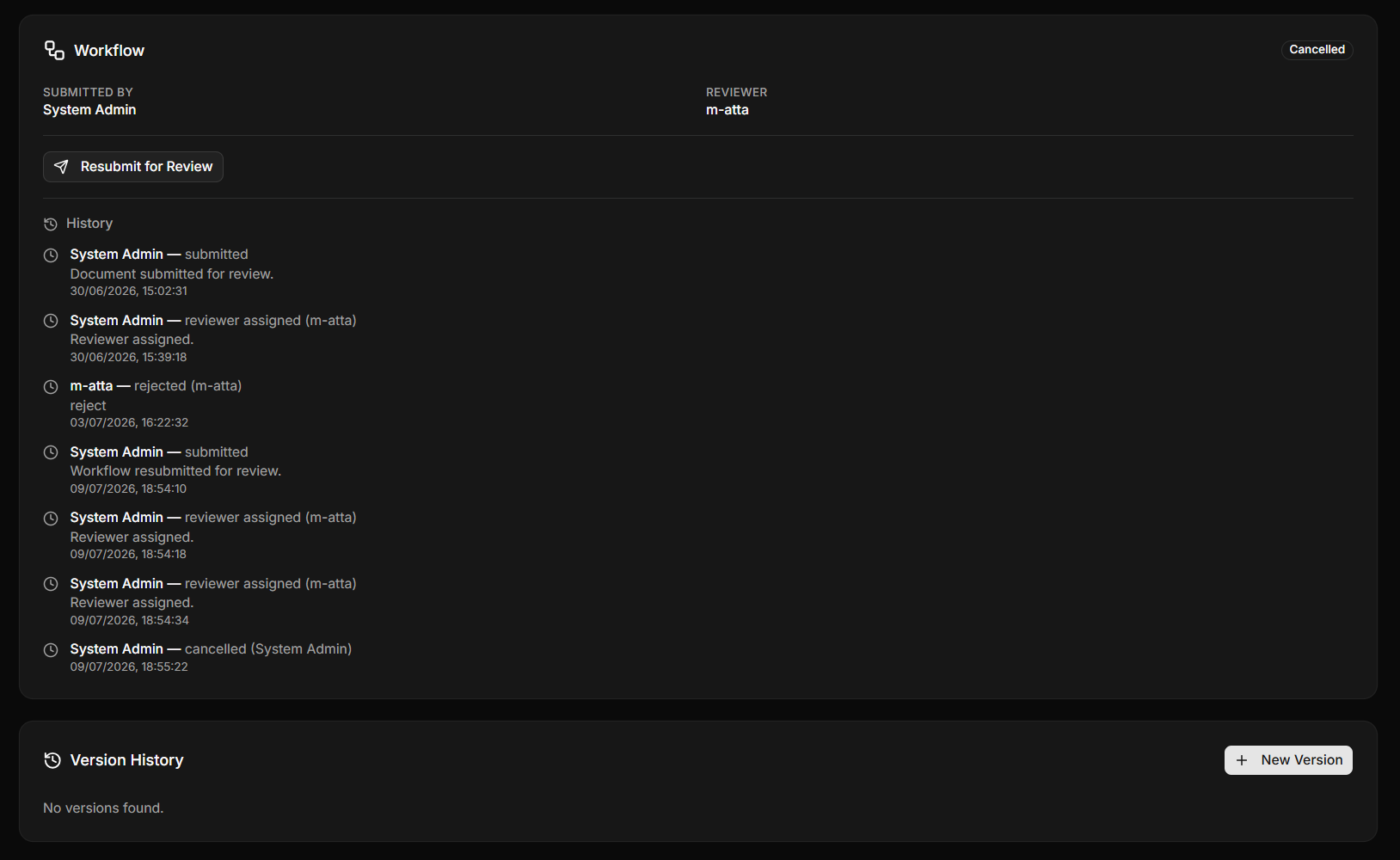
The history records actions such as submitting a file and assigning a reviewer. A colleague picking up the work can see what happened before their turn, without asking the previous reviewer to reconstruct it.
Give managers a wider view
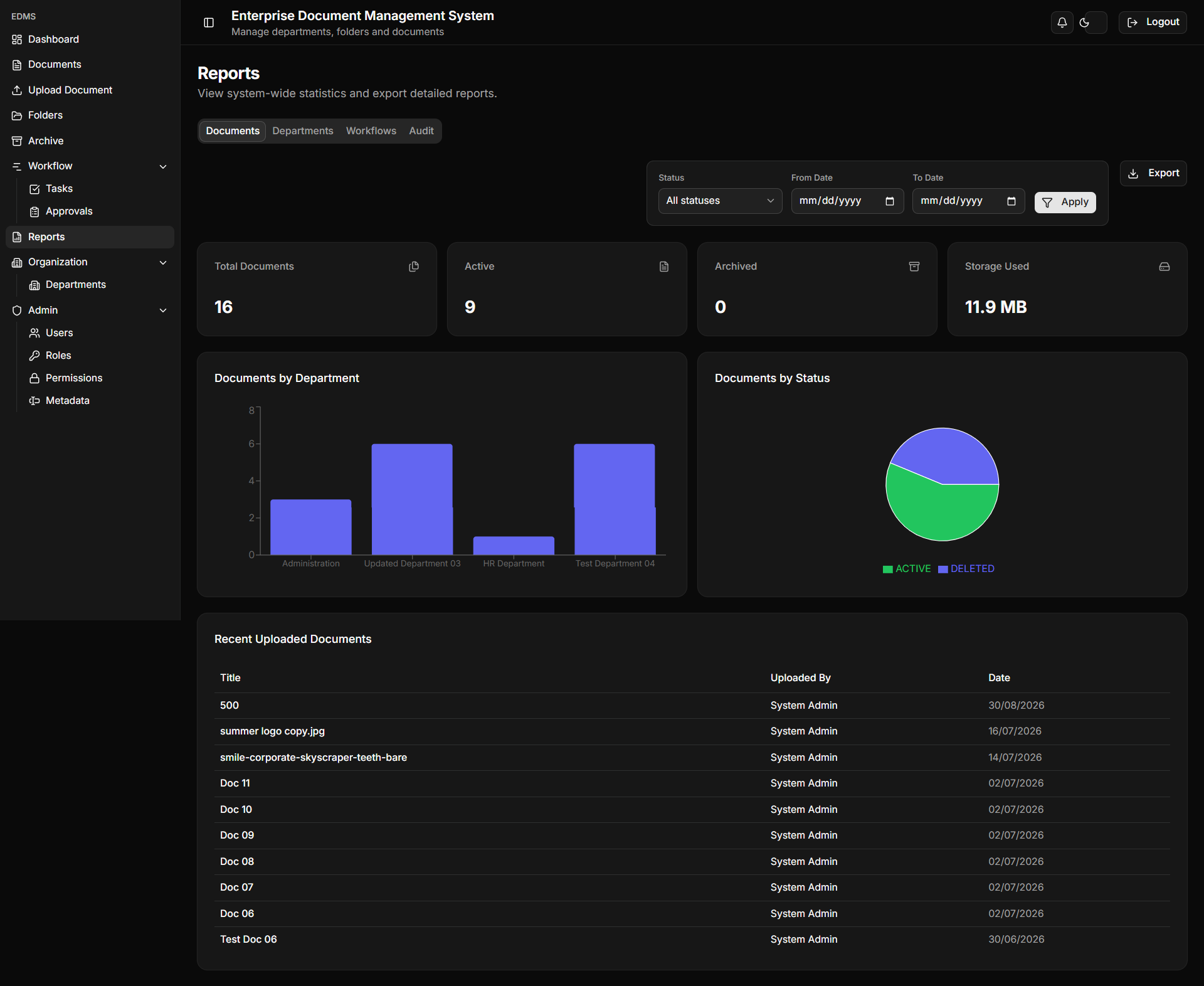
Reports show how documents are distributed across departments and statuses. A manager can start with that overview, then open an individual record when a question needs more detail.
What changed
The team has one place to answer two everyday questions: “Where is this file?” and “What has happened to it?” Staff can follow an individual review, while managers can look across departments.
 All work