Malik Brand Zone.
A shopper can see exactly what they will pay on delivery. The owner can pick up that same order and manage it from a phone.
The challenge
The owner runs the store entirely from a phone. In the original inventory list, each row showed the product price and stock, but the only action beside it was Delete. Even a small stock correction meant leaving the list. On the customer side, an equally important question was how much cash to have ready when the parcel arrived.
Choose the outfit
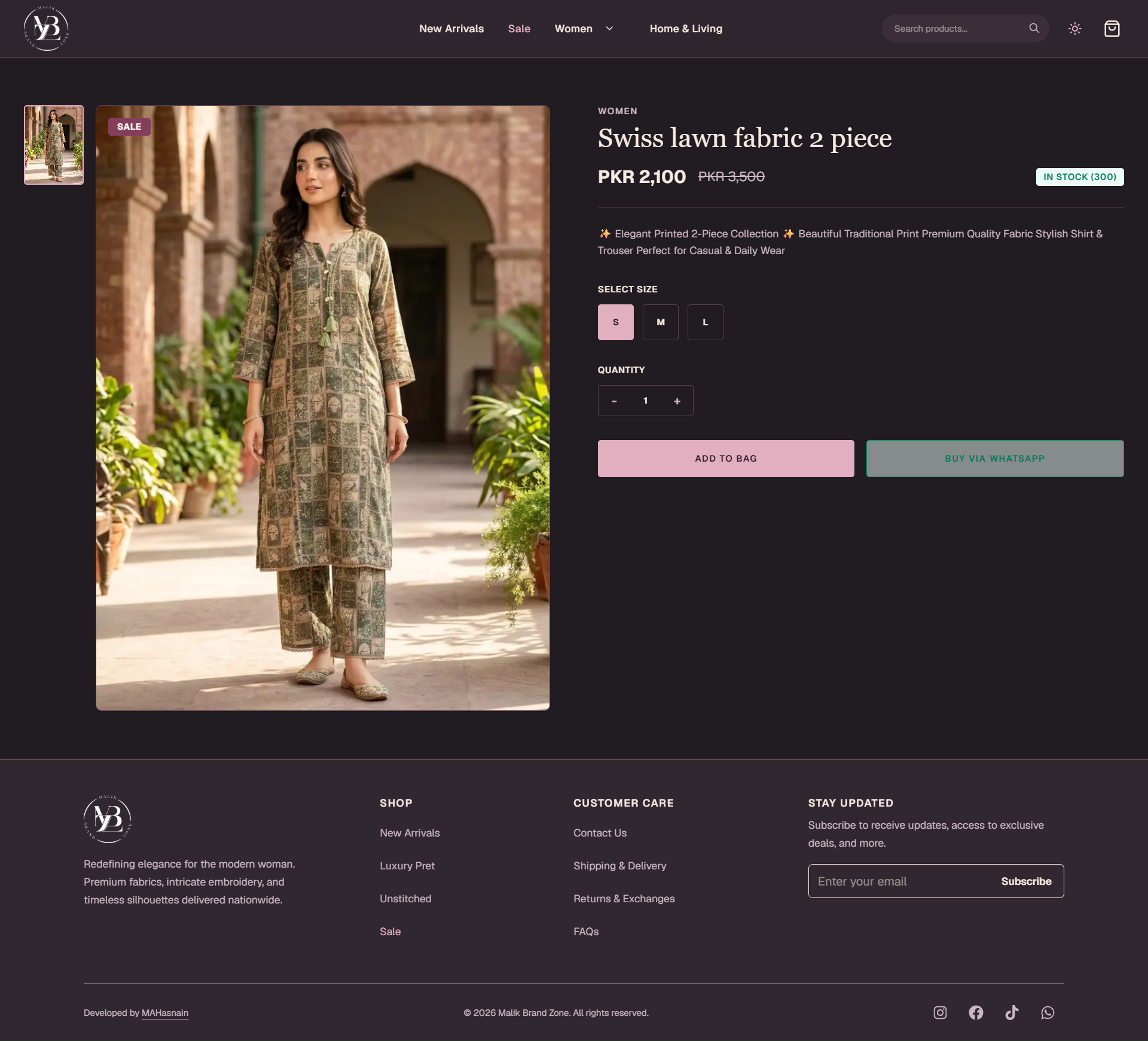
A shopper looking at the Swiss lawn two-piece can inspect the product photos, check the price and select an available size before adding it to the bag. The next step carries that selection through to checkout.
Know the full amount before ordering
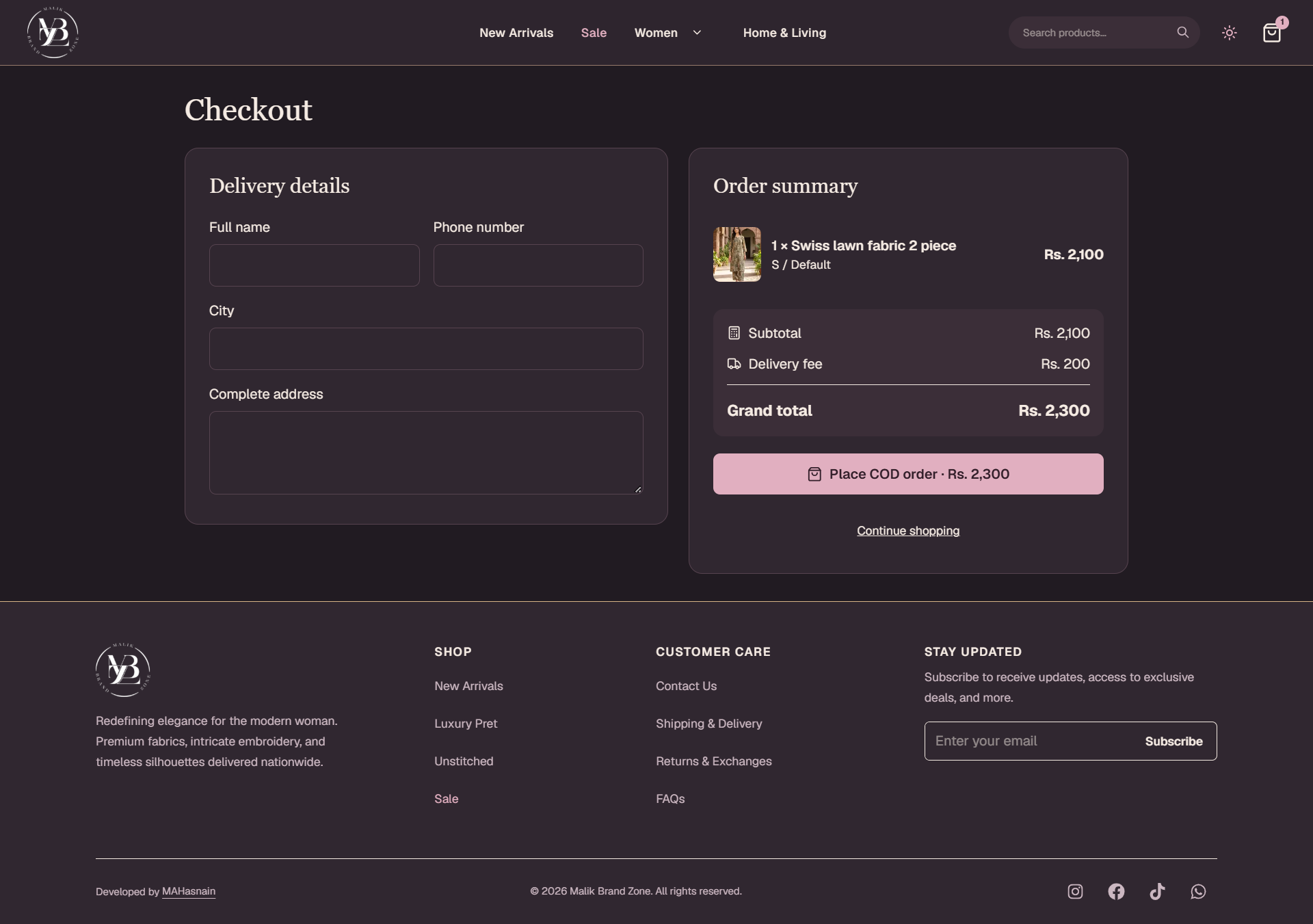
Checkout puts delivery details beside the order summary. In this example, the outfit costs Rs. 2,100 and delivery adds Rs. 200. The shopper sees the full Rs. 2,300 before placing the cash-on-delivery order, then receives an order number and a printable slip.
Pick up the order on a phone
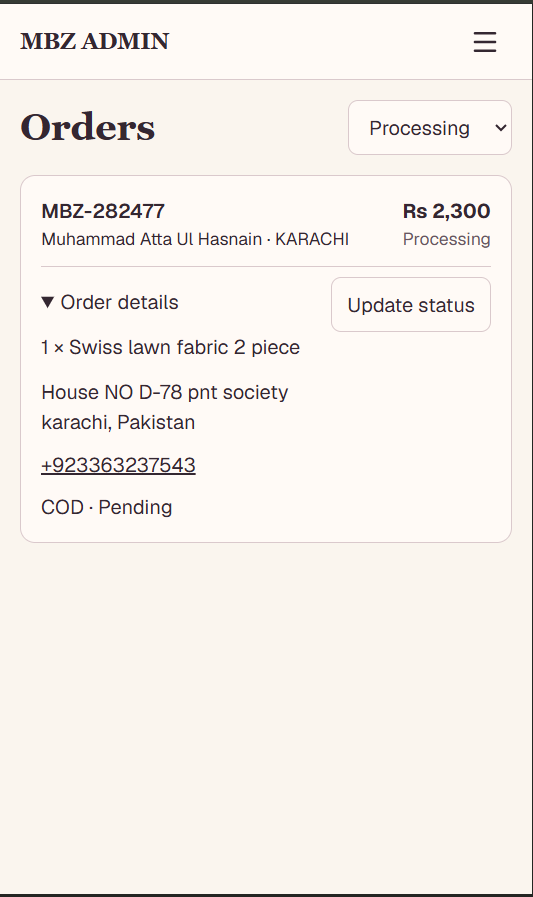
The same order number appears in the owner’s order list. Opening it shows the item, total and current status. The owner can move it from Pending to Processing when packing begins, then mark it Shipped when the parcel goes out.
Correct stock from the product list
I placed a labelled Edit action beside each product. It opens the current details, including the existing photos. If the last item sells, the owner can set stock to zero, save and see the updated quantity in the list.
What changed
The shopper leaves with a payment amount and an order reference. The owner uses that reference to find the purchase, follow its delivery progress and keep the catalog current from the same phone.
 All work